
Meet the winners of our Box office design competition
Three winning event pages, three bursts of inspiration, along with pro designer tips to bring the same creativity to your own Box office.
A few weeks ago, we asked you to show off. And wow, did you deliver.
When we built the Box office editor, we had one idea in mind: giving Event Creators the freedom to put their brand front and centre. So we went looking for the pages that did it best, these three stopped us mid-scroll and made us want to buy a ticket on the spot.
Below, we break down what makes each one work, with design tips from easy to advanced – so you can do the same for your own Box office.
🥇1st place winner: Jazzkeller
About the event:

Jazzkeller is one of Europe's most historic jazz clubs, serving up live music, crafted cocktails and unforgettable nights in Frankfurt since 1952.
Why they won:
Jazzkeller doesn't wait until you're through the door to set the mood – the experience starts the moment you land on their Box office. Dark, atmospheric imagery and a look that's pure smoky jazz club mean you can almost hear the saxophone before you've bought a ticket. They've made ticketing the opening act, and that's exactly what won it for them.
Our designer's playbook:
Full-screen header: you can select the "full screen" header under 'Listings page' in the Box office design editor. This allows you to immerse your ticket-buyers in your event as soon as they land on your box office. A handful of your strongest event photos is enough to put this together.
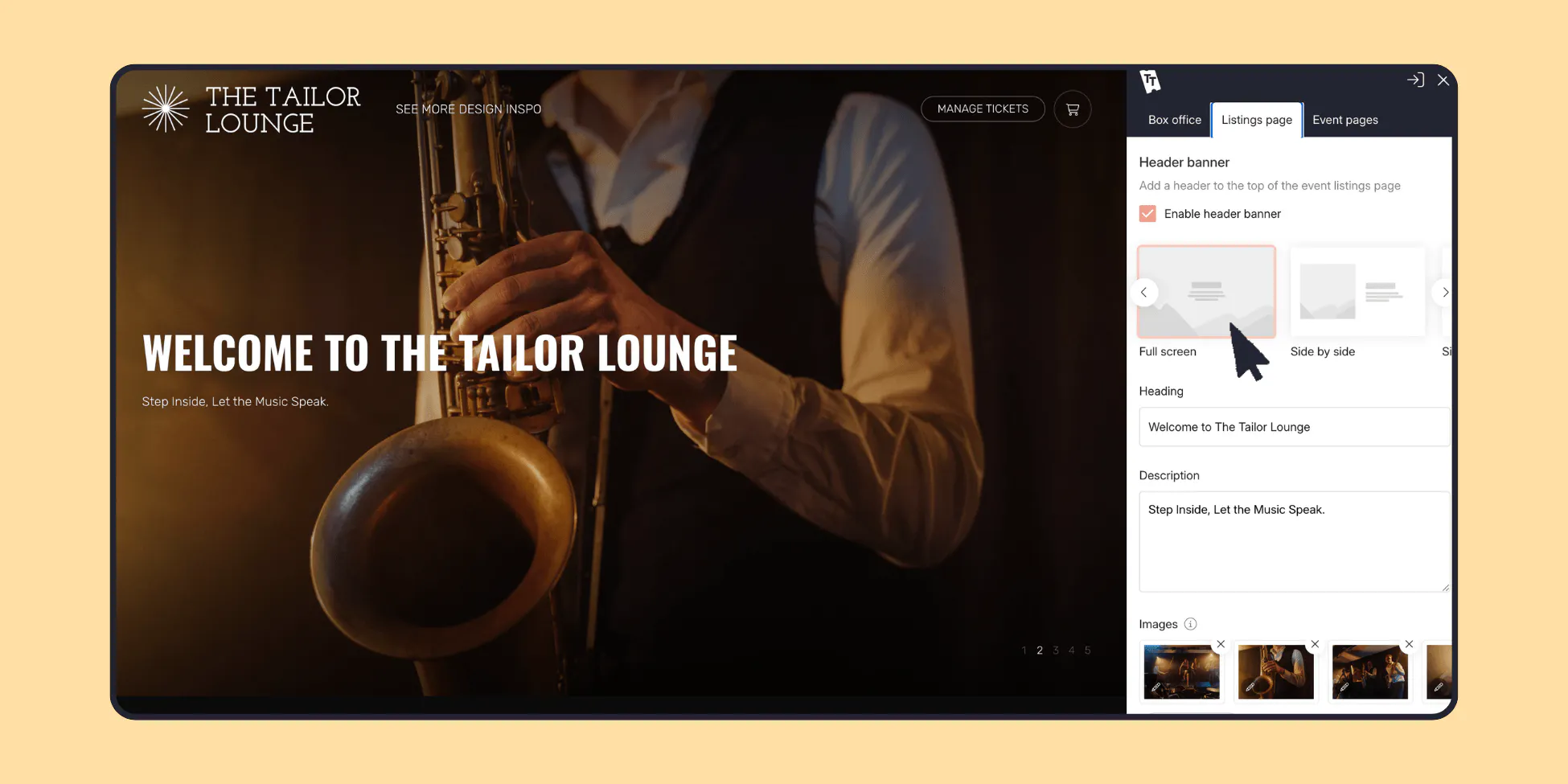
Event page headers: with the templates and AI tools in Canva, you can create your own go-to designs for different events. Use 1000x1000 pixels for your listings cover and 2048x652 pixels for the event page banners. Or if you don't have time to design, good event photography or strong stock images work just as well.
🥈2nd place winner: Lakefest
About the event:
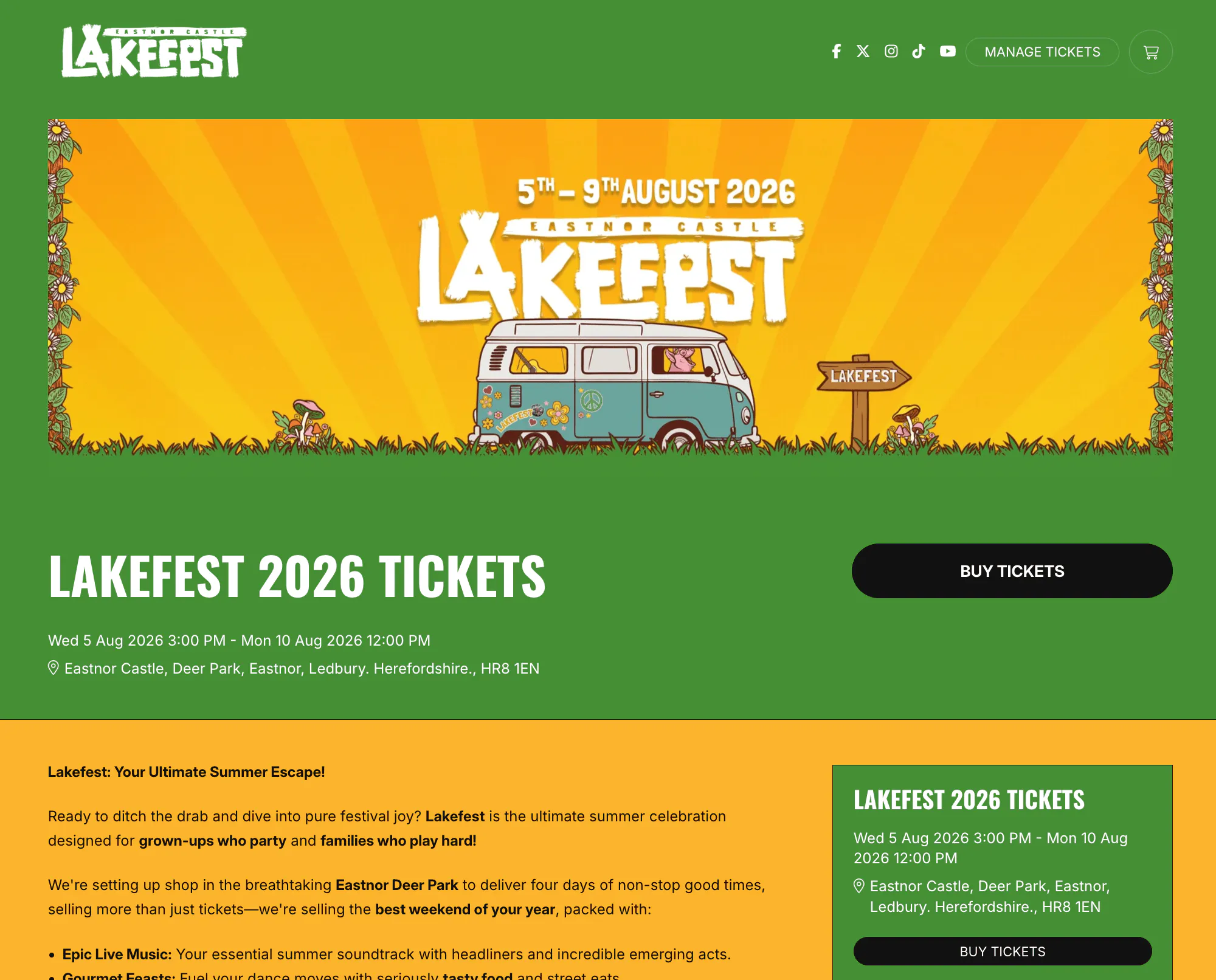
A summer music festival in the grounds of Eastnor Castle, Herefordshire with live music, street food, craft drinks and a kids' zone; built for grown-ups who want to party and families who want to play.
Why they won:
Bright brand colours and playful illustrated headers make the Box office feel like the festival itself – striking, on-brand, impossible to scroll past.
Our designer's playbook:
Lakefest's ticketing sits right alongside their main website, so the two need to feel like one journey…
A little trick is to select a theme based on your website's buttons. Check how rounded your site's buttons are, then pick the theme (from fully rounded to squared-off) that mirrors it, so the click-through from website to Box office feels seamless.
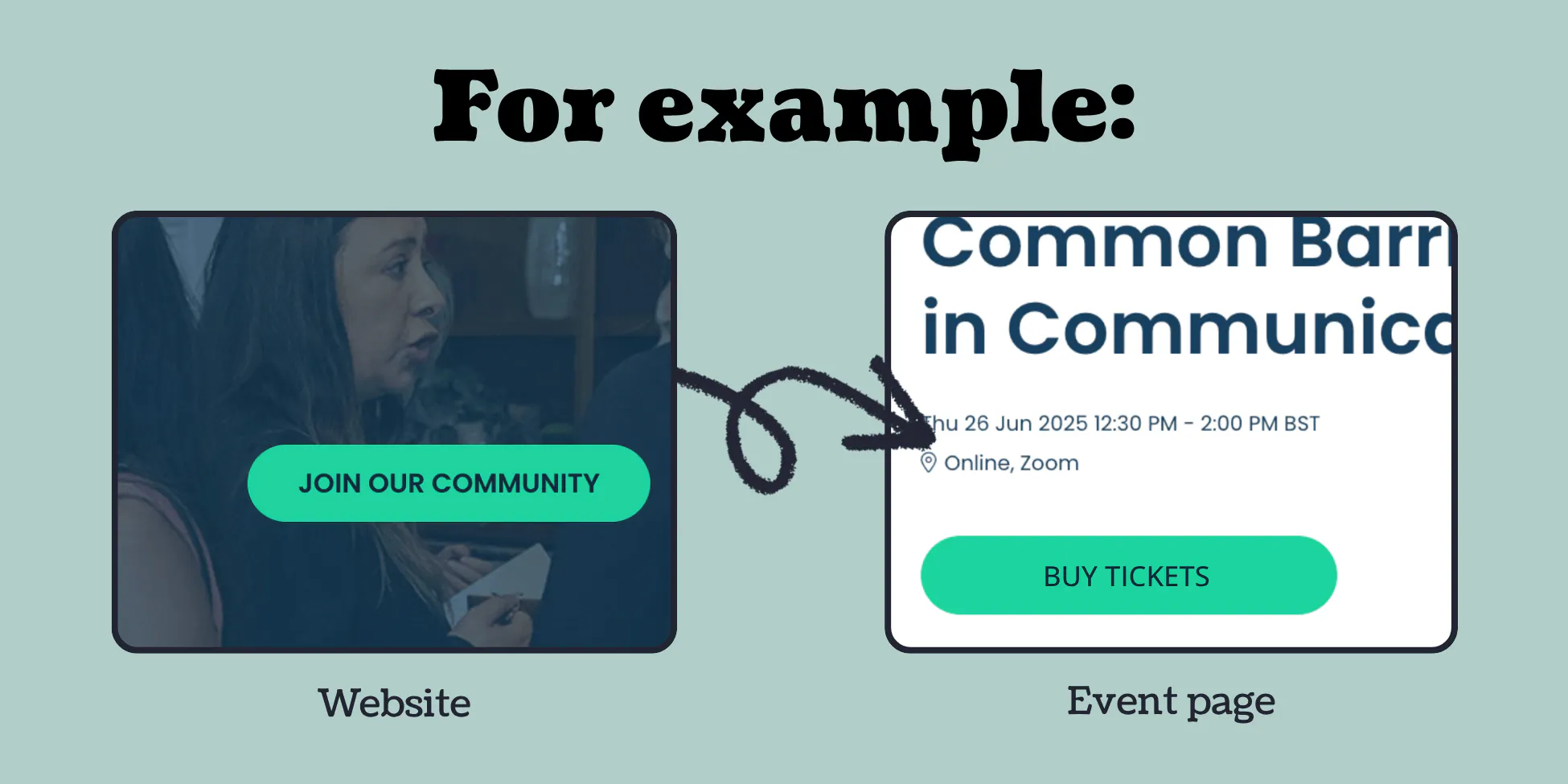
Then carry it through by matching your fonts and colour palette too in the editor, so your event page feels like an extension of your site.
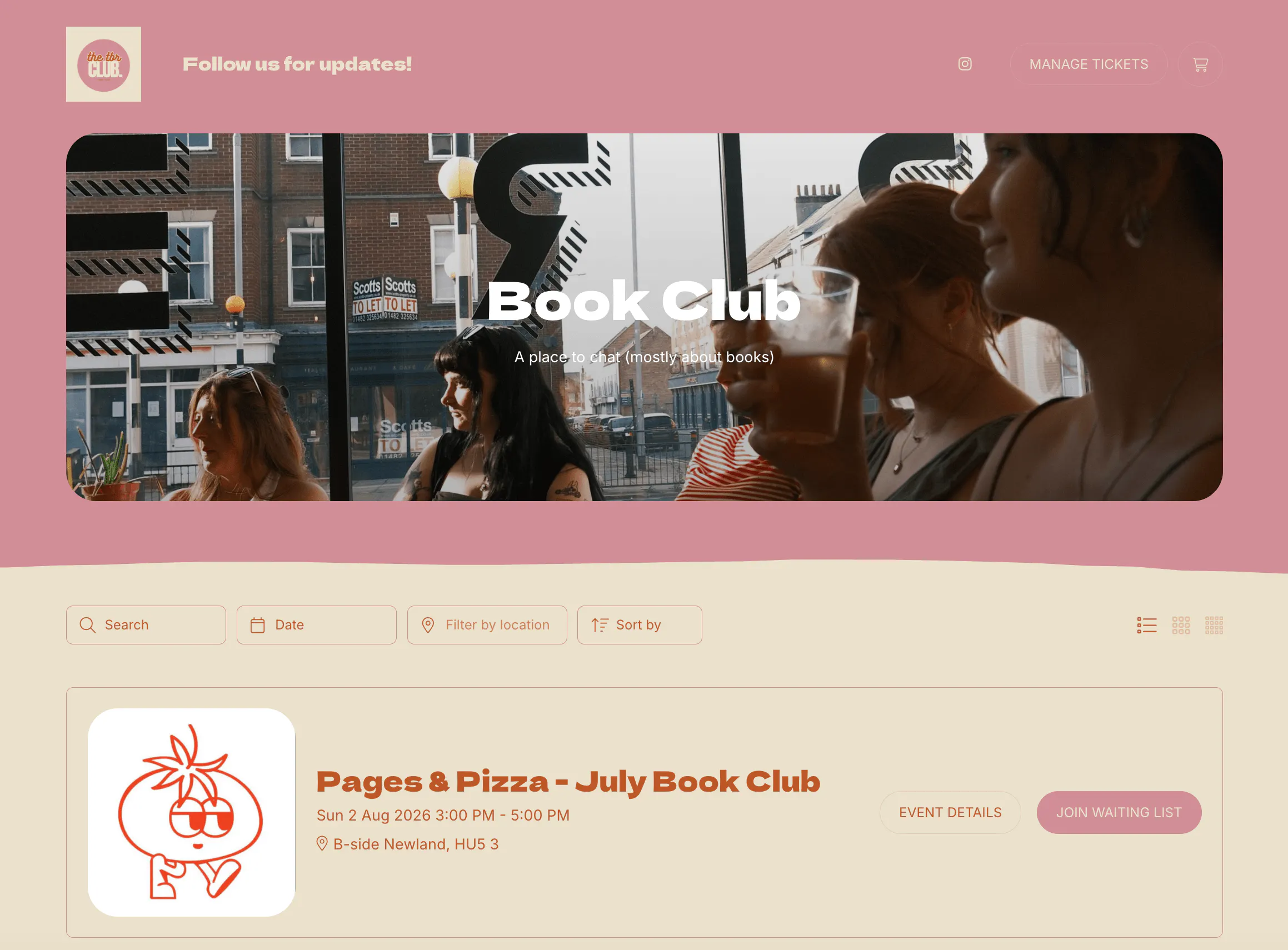
🥉3rd place winner: The TBR Club
About the event:
A laid-back book club running cosy events around East Yorkshire.
Why they won:
Proof that simple works. The TBR Club didn't reach for bells and whistles – just their logo, a clean layout and a considered splash of colour, all pulling together into a page that's warm, welcoming and instantly on-brand. It shows exactly how little it takes to bring your branding into your event page, and how far a simple, consistent look can go.
Our designer's playbook:
The TBR Club's page started life as one of our ready-made themes, but colour is what made it theirs…
Pick a theme, then recolour it using your primary brand colour hex codes* so it's spot-on. Consider what works best as a base colour for your background, then use your more vibrant colour options for the header and buttons to bring your design together.
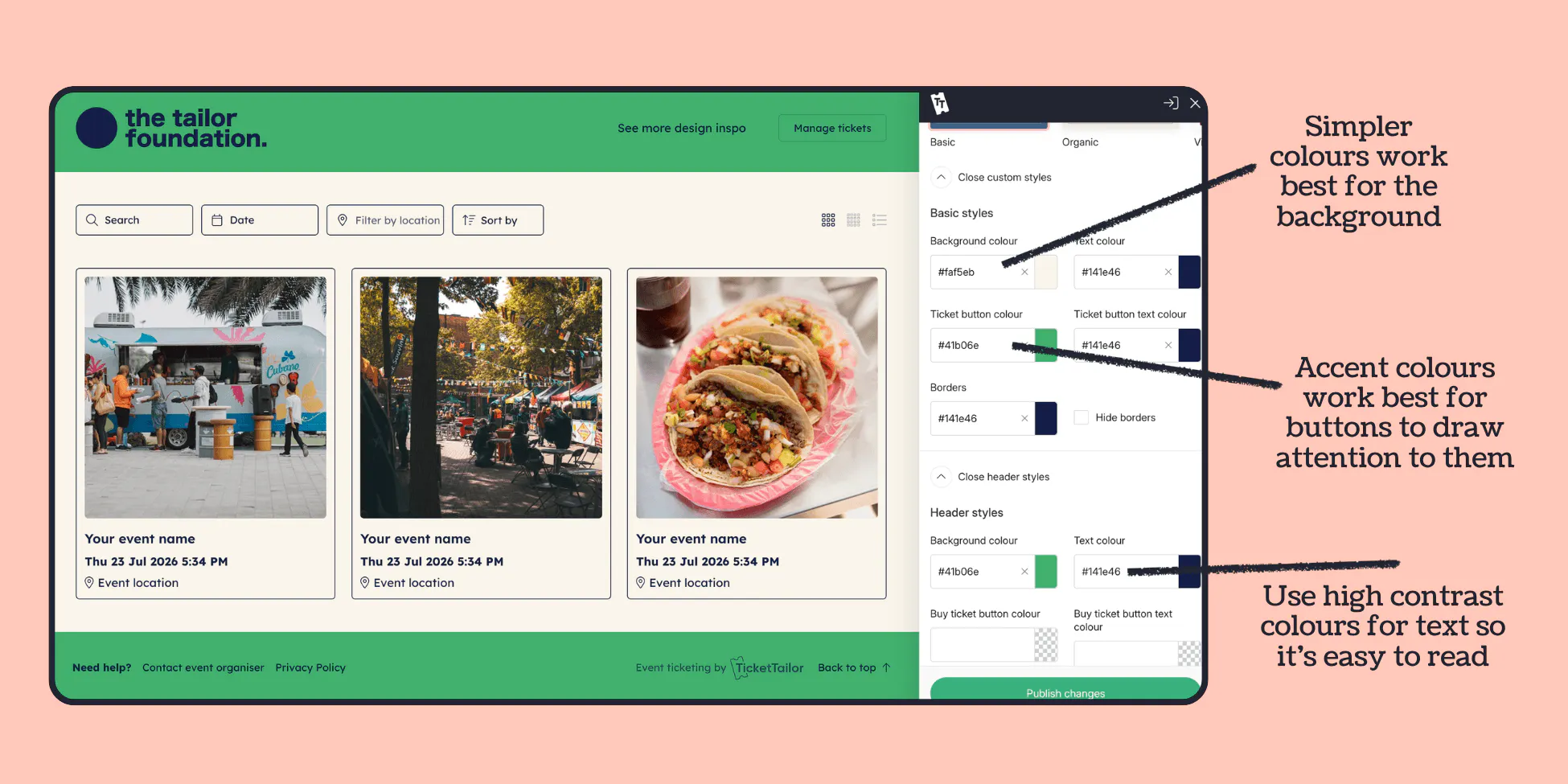
*if you don't have your brand hex codes, imagecolorpicker.com is a great tool to help get them
Feeling inspired?
Every one of these pages was built with the same tools you already have. Eight ready-to-go themes, full colour and font control, flexible layouts – and endless room to make it unmistakably yours, all in a few clicks.
So go on. Open up 'Settings' in your dashboard, go to 'Box office design' and give your event the page it deserves.