
How to choose a ticketing platform: a 101 guide for Event Creators
Choosing a ticketing platform comes down to nine questions: what you'll really pay in fees, who controls your booking fee, when you get paid, how your checkout looks, who owns your data, how fast you can go live, and what support you'll get.

Hi, I'm Alice 👋 and I'm an Account Executive at Ticket Tailor.
Every day I speak to Event Creators, and a lot of the time they look to me for guidance on what they should be looking for in a ticketing platform, and what questions they should be asking me. So I've put together a 101 guide for anyone on their ticketing journey who wants some tips on what to look out for.
Choosing a ticketing platform comes down to a handful of questions: what you'll really pay in fees, who controls your booking fee, when you get your money, how your checkout looks, who owns your customer data, how quickly you can go live, and what support you'll get when something goes wrong.
Every event is different and has different needs, so what works for one may not work for another. Think of this as a set of pointers on what to think about (and what not to get caught out on!).
Fees
What exactly does your fee cover, and are there any extra costs on top?
First and foremost, and what people care about the most… fees!
In today's economic climate, more and more event organisers are crunching the numbers, and the different ways ticketing platforms calculate their fees can make that tricky. In ticketing, there's normally:
- a fee you pay the ticketing platform for selling your tickets online
- a fee you pay your payment processor (like Stripe, PayPal or Square) for processing your money online
- sometimes other fees, like handling costs or add-on features
Some platforms, like Ticket Tailor, keep these fees separate, so you know exactly where your money is going. Others combine the payment processing fee with the platform fee. Either way, make sure you know what the fee you're being quoted covers, so you can compare pricing accurately. If you want a deeper dive, here's a breakdown of how ticketing fees work when you sell tickets online.
It's also worth comparing percentage-based pricing with flat-fee pricing. A percentage fee goes up with your ticket price, whereas a flat fee stays the same however much your ticket costs.
Here's what that looks like on a £50 ticket. Ticket Tailor charges a flat fee from as little as 22p per ticket, with payment processing paid separately. Eventbrite charges 6.95% + 59p per ticket, with payment processing included.
Fees on a £50 ticket
Ticket Tailor
Eventbrite
22p (flat)
£4.07 (6.95% + 59p)
95p (Stripe, 1.5% + 20p on a standard UK card)
Included
£1.17
£4.07
Push the ticket price up to £100 and Ticket Tailor's platform fee is still 22p, so the total comes to £1.92 with Stripe's fee, while Eventbrite's rises to £7.54. So if you run an event with a higher price point, like a festival, it's worth working out which model works better for you.
Lastly, ask about hidden costs. Some platforms charge extra for things you need to manage your event properly, on top of the rate they quote you. That could be contacting your customers, exporting your data, or setting up your event in a certain way.
To see how other platforms stack up, take a look at this ticketing price comparison.
Booking fees
Do I decide the booking fee, or does the platform set it for me?
A booking fee is an amount you can add on top of your ticket price to offset what you pay your ticketing (and payment) platform. Every event has to pay for these services, so it's really just up to you whether the cost comes out of your pocket or your customers'.
Booking fees are a bit of a hot topic, with some saying they've got out of hand (a £20 booking fee on top of the ticket price!?). Whatever you think about that, it's worth knowing who controls the booking fee. Do you get to choose what your customers pay, and whether there's a fee at all, or does the platform add a set one?
At Ticket Tailor, the Event Creator controls the booking fee completely, so you can choose to pass your fees on, absorb them, or share them with your customers. Some platforms instead add a set booking fee of a certain percentage of the ticket price. If keeping your ticket prices accessible is a priority, it might be worth looking for a platform that gives you that control.
Control over funds
When will I get my ticket money, and who holds it until then?
Probably one of the most important points for anyone reading this: where and when do I get my money!?
There are two main ways ticketing platforms handle your money:
- The platform takes in your ticket money, then releases it to you on a set date or at set intervals.
- You control your own payment account, so the platform never holds your money and you receive it as tickets sell.
A lot of the time, you need the money from your ticket sales to fund your event, so it's important to know who controls it and when you'll receive it. If you don't get paid until after your event, it can be incredibly hard to put it on in the first place. At Ticket Tailor, you connect your own payment account, so ticket money goes straight to you. You can see how that works in this guide to Ticket Tailor’s payment options.
Event pages vs embedding
Can I sell tickets on my own website, and how much can I customise the checkout?
This part is about what your event looks like to your customers.
Event pages. An event page is normally hosted on your ticketing platform's domain and works as a one-stop shop for your event, where people find out about it and buy tickets. It's a good option if you don't have a website, because you can link straight to your event page instead. Platforms offer very different levels of customisation here, and some feel more like customers are buying from the ticketing platform than from your event. If brand awareness is a big thing for you, it's worth asking to see how much you can customise.
Embedding. This is when your ticket widget (where people buy tickets) sits within your own website, so buyers stay on your page throughout. The benefits are brand awareness and conversion rates (the percentage of people who visit your page and actually buy a ticket). It feels like customers are buying from your brand, and staying on your website builds trust in your event, which ultimately helps you sell tickets. It also usually cuts the number of clicks in the checkout, so fewer people drop off. Making checkout as smooth as possible is one of the simplest ways to sell more, and there are more ideas like this in 15 easy ways to boost your event revenue. If conversion and brand awareness are priorities, it’s worth asking whether the platform has an embed option, and asking to see it!
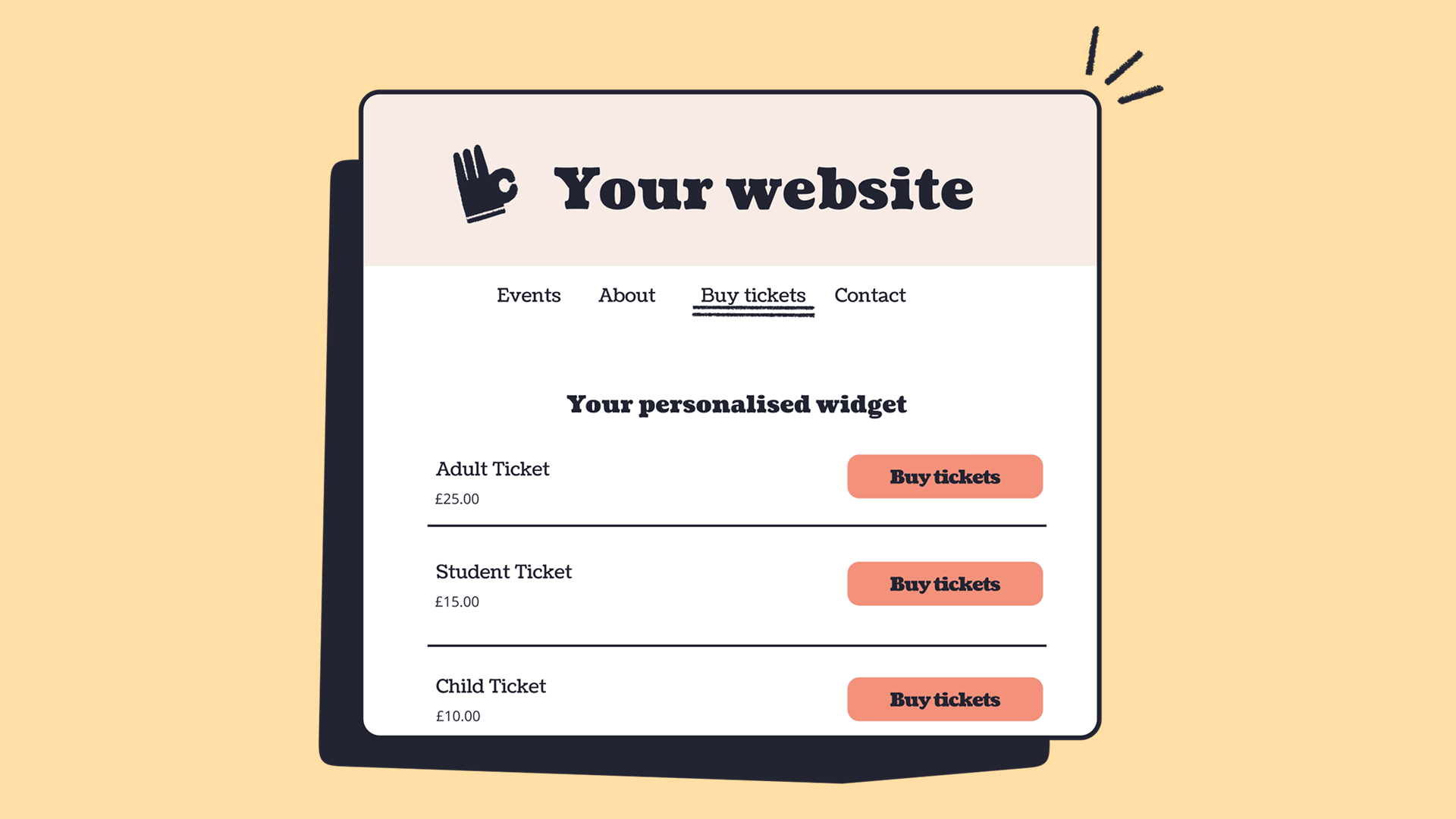
Bonus: white labelling. One step further for brand awareness is full white labelling. White labelling is when one company makes a product and another sells it under its own brand, with the original maker's branding removed, so the customer usually has no idea who built it. In ticketing, that means removing the platform's logo from the checkout and customer communications, so your customers really feel like they're buying from you, not the ticketing platform.
Account creation vs guest checkout
Do my customers need to create an account to buy a ticket?
With some ticketing platforms, your customers have to create an account with the platform before they can buy a ticket. With others, like Ticket Tailor, they can check out as a guest.
Account creation lets the ticketing platform build more of a profile on each customer, whereas guest checkout helps your conversion rates. Asking customers to sign up is a barrier to entry, and some people will drop off before they ever buy a ticket.
Data ownership
Who owns my customer data, and can you market to my customers?
There are two main types of ticketing platform out there: white label solutions, where you own your customer data, and discovery platforms or marketplaces. They're different models and both have their benefits, but if you're using a marketplace, you're probably sharing your customer data with the platform.
But what does that really mean? If you share your customer data with your ticketing platform, they can contact your customers. Marketplaces co-own your customer data, so when you bring in customers, they can market similar events to them (and they'll do the same for you with other events' customers). That pooled data is how they promote your events.
This can bring in extra ticket sales, but sharing your data is the trade-off. If you generate a lot of your own customers, you're basically giving them to your ticketing platform. You may also be paying more on every ticket, even when you drove the sale yourself, because marketplace pricing reflects the marketing help they offer.
Discovery vs white label is a whole topic in itself, so feel free to read more about discovery vs white label ticketing.
Set-up time
How long will it take me to go live on your platform?
A lot of events have a go-live deadline, so it's important to know how long it takes to get set up on a given platform, because this can range quite a lot! Some platforms take weeks or even months to implement, whereas others, like Ticket Tailor, are more plug and play, so you can be live within a day. It's an important one to factor into your event planning.
Self-serve vs account management
How much of my event can I manage myself, and what has to go through an account manager?
This is about the level of support and control you have as an Event Creator. If you're more of a hands-on organiser, it's worth clarifying how much of your event you can manage yourself, and how much sits behind an account manager.
This changes from platform to platform. Some, like Ticket Tailor, run a hybrid model: it's self-serve, so you can always set up and manage your event yourself, but support is there if and when you need it. Others run a more managed model, where you make changes through your account manager.
Both have their benefits. If you'd rather be a bit more hands-off and don't mind handing over more control (and updates not being so instant), a managed model could work fine for you. From my experience, though, a lot of Event Creators like to be hands-on anyway, or alongside an account manager, so it's worth asking.
Customer support
When can I reach your support team, and how quickly will they respond?
Events run 24/7, so you can't rely on office-hours support, and slow help can have a big impact on your event day. With how quickly reviews circulate nowadays, you wouldn't want to risk bad press because of a platform issue!
It's worth:
- checking reviews of the platform to hear first-hand how reliable their support is
- asking what form their support comes in
Some platforms offer 24/7 support, some respond faster than others, and some even offer boots-on-the-ground support at your event.

Final checklist for evaluating ticketing platforms
Here are the questions to take into your next demo:
- Fees: What exactly does your fee cover, and are there any extra costs on top?
- Booking fees: Do I decide the booking fee, or does the platform set it for me?
- Control over funds: When will I get my ticket money, and who holds it until then?
- Event pages vs embedding: Can I sell tickets on my own website, and how much can I customise the checkout?
- Guest checkout: Do my customers need to create an account to buy a ticket?
- Data ownership: Who owns my customer data, and can you market to my customers?
- Set-up time: How long will it take me to go live on your platform?
- Self-serve vs account management: How much of my event can I manage myself, and what has to go through an account manager?
- Customer support: When can I reach your support team, and how quickly will they respond?