Publishing events just got quicker and easier: meet your new event setup form
The way you create and edit events has just got even easier.
The event setup form has had a redesign to make it even easier to use. Now the settings you need are simpler to find and your all-important events are quicker to publish.
Good news: every feature you know and love is still there. We've just arranged it all in a clearer layout.
Event Creators using the updated event setup form publish events 2x faster.
That’s less time spent on ticketing, and more time for planning your events.

The way you create and edit events has just got even easier.
The event setup form has had a redesign to make it even easier to use. Now the settings you need are simpler to find and your all-important events are quicker to publish.
Good news: every feature you know and love is still there. We've just arranged it all in a clearer layout.
Event Creators using the updated event setup form publish events 2x faster. That’s less time spent on ticketing, and more time for planning your events.
Why have we updated the event editor?
Ticket Tailor turned 15 this year! Over those many amazing years, the way you sell tickets online has changed, and so has our platform. We've added loads of features requested by you, giving you more power and control over your ticketing rules.
But one thing has always stayed the same - we aim to make event ticketing simple and affordable. However, with more powerful ticketing functionality, we've had a few more questions. So, our customer experience and product design teams have worked together to develop a clearer event page editor, to tackle your most common event-editing FAQs.
These changes mean fewer questions like “Where can I change the wording on my ‘Buy tickets’ button?” or “How do I change my ticket quantities?”, and less need to pause your event setup to get in touch with us.
What’s changed, and where to find things
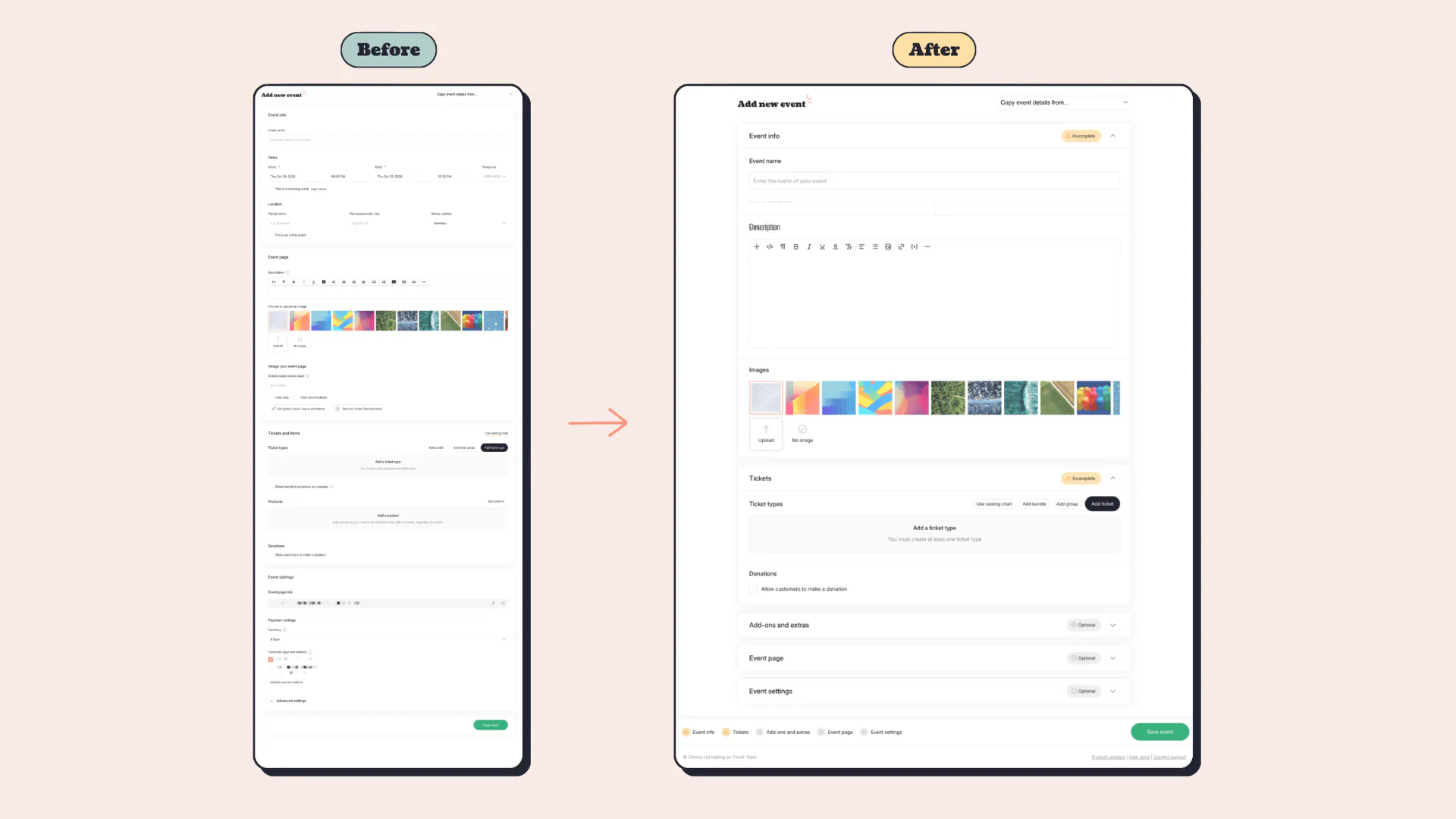
You get the same powerful event setup form, just rearranged. Nothing has been removed, and you’ll find things quicker and more easily. Here's where everything lives now.
The layout 🗺️
- The form now has five collapsible sections: Event info, Tickets, Add-ons and extras, Event page and Event settings. Advanced settings are now split into these clearer sections, so everything is easier to find.
- Each section has a status badge (Completed, Incomplete, Optional or Errors), so you can see what's left to do at a glance. Handy for Event pros who want to see which settings are essential and which are optional.
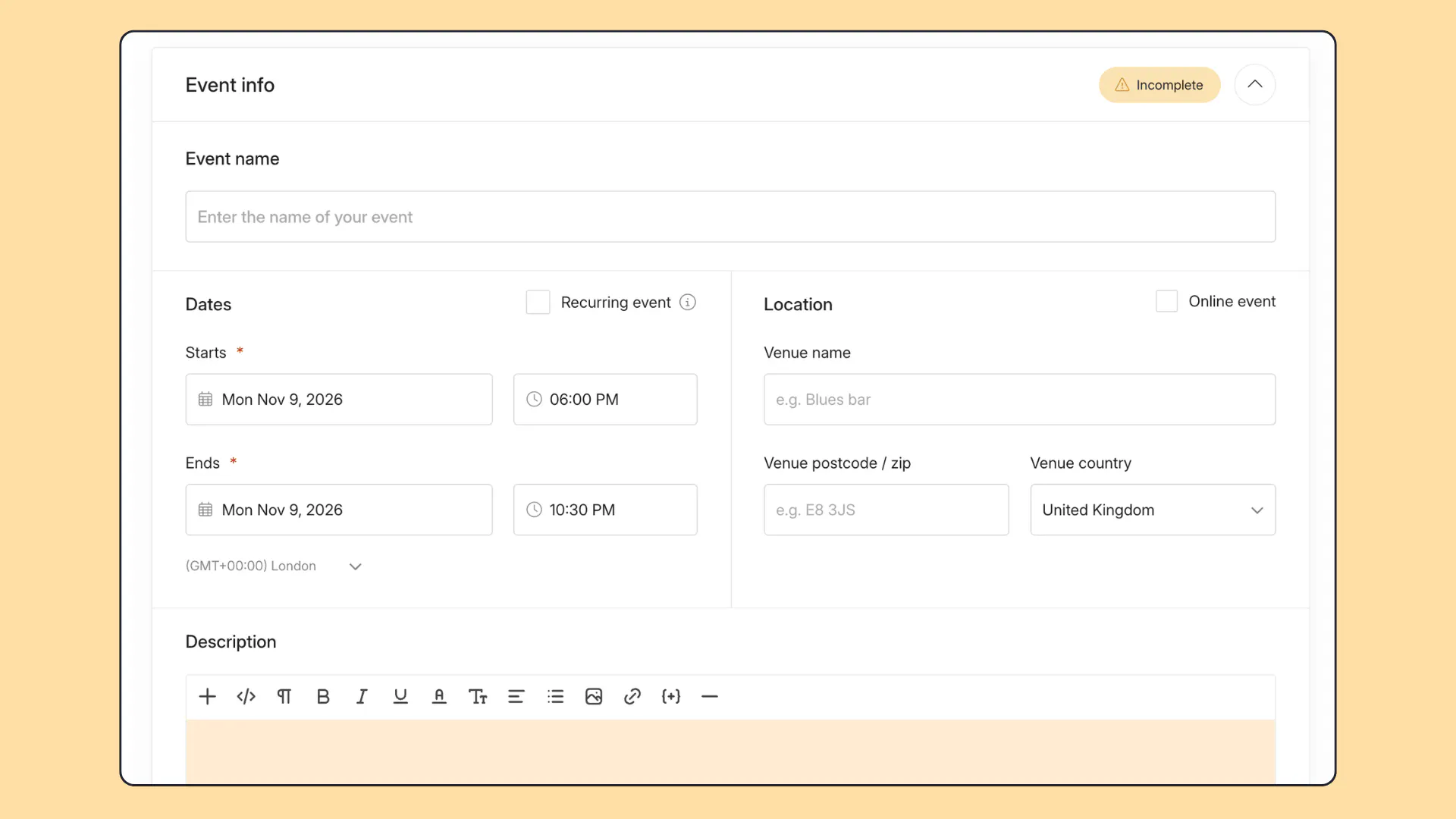
Event info 📝
- Your event dates and location now sit side by side at the top of the form.
- Your description and images have moved up here.
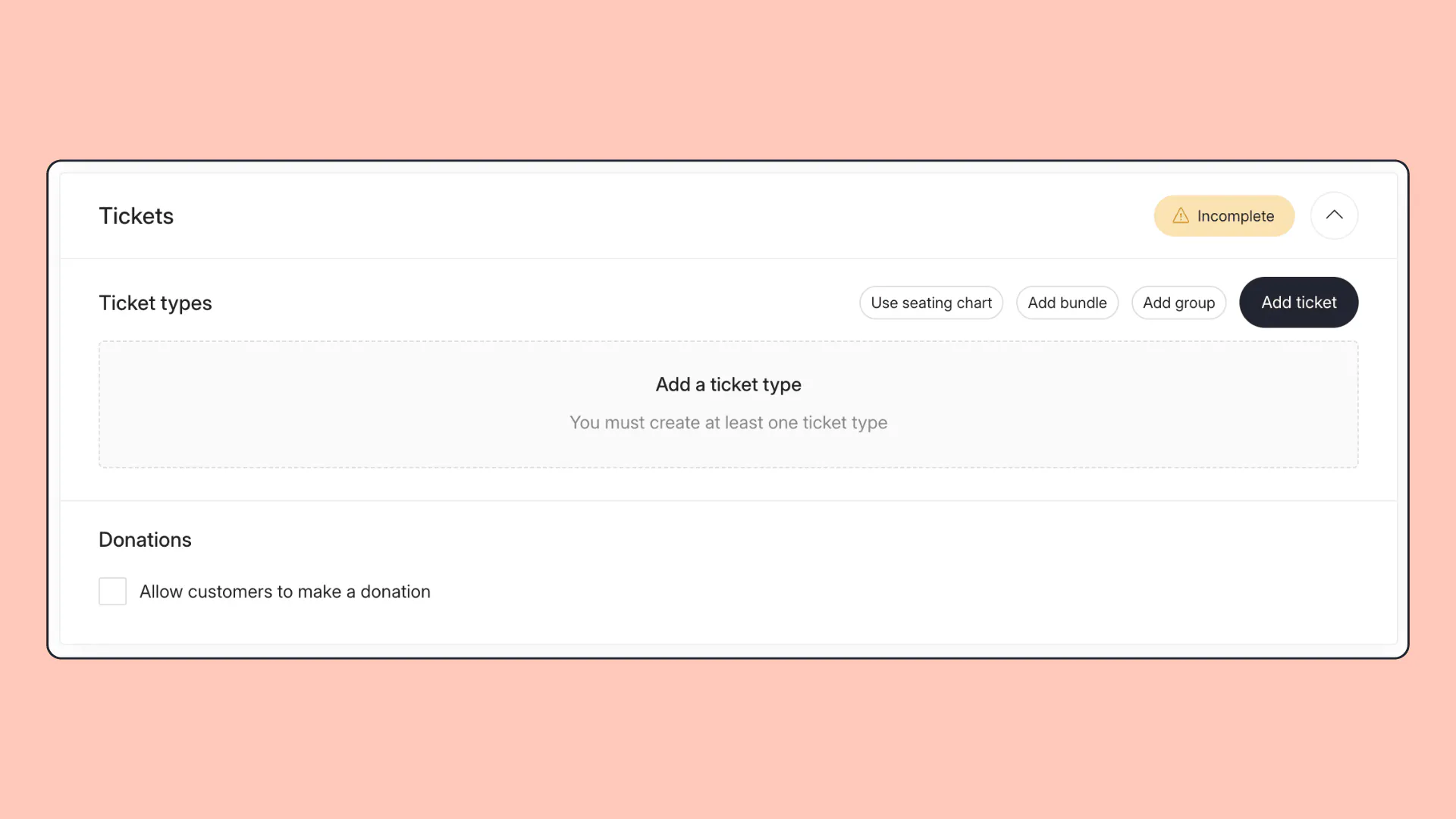
Tickets 🎟️
- Tickets and items is now simply Tickets.
- If you use seating charts, the ticket pop-up has a Standard and Seated switch, to make it easier to create the right ticket type.
- Our popular donations feature now sits directly under your ticket list, so it's easier to find.
- Managing capacity, low availability and ticket group visibility now live in the Tickets section.
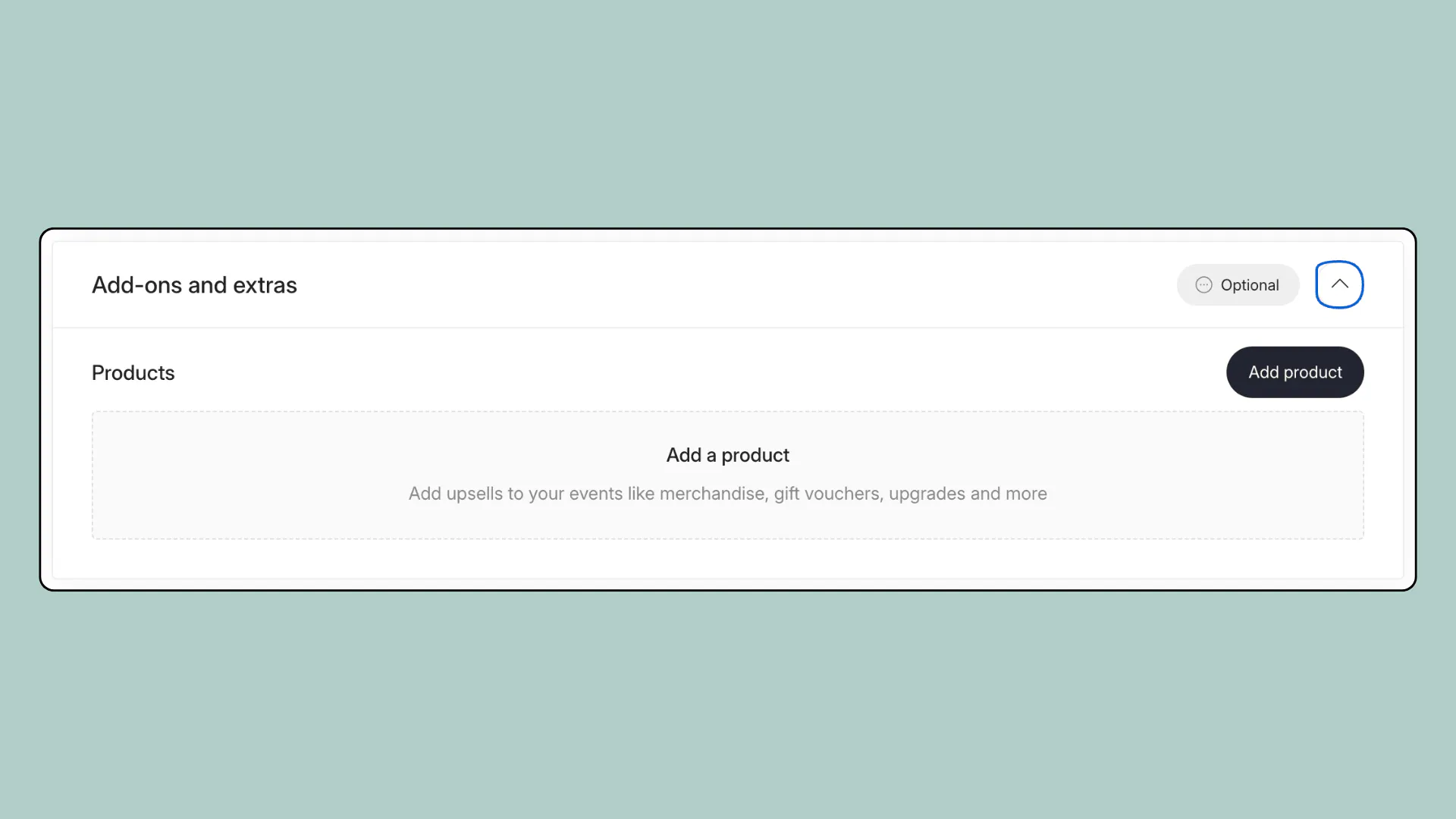
Add-ons and extras (new!) 🎁
- Products, text message reminders* and refund protection* now live in one easy-to-find place, helping you add extra value for customers (plus revenue for you).
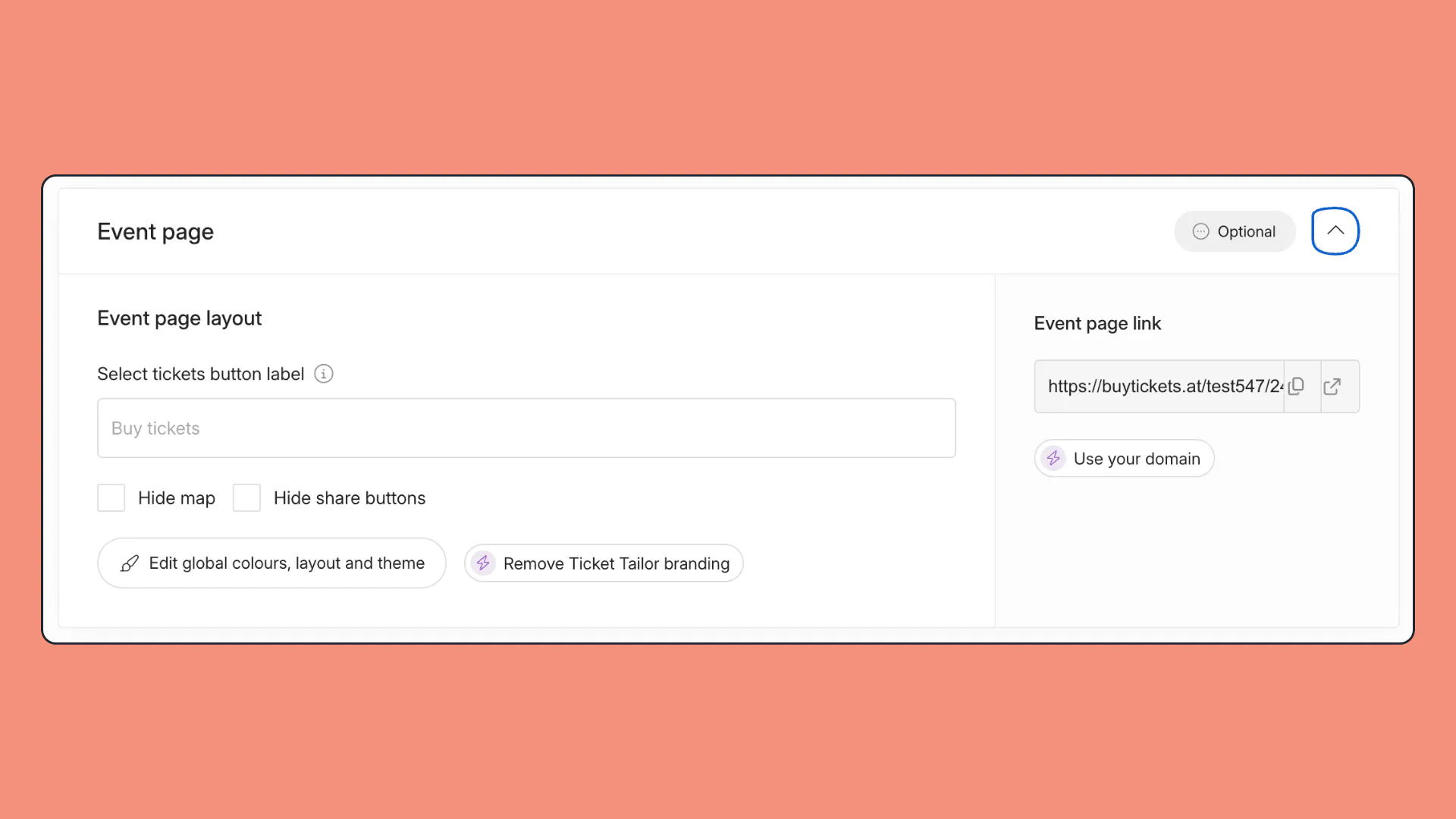
Event page 🎨
- Design your event page is now called Event page layout.
- Your event page link and custom domain box have moved here from Event settings.
- For full box office and event page customisation, head to box office design in Settings.
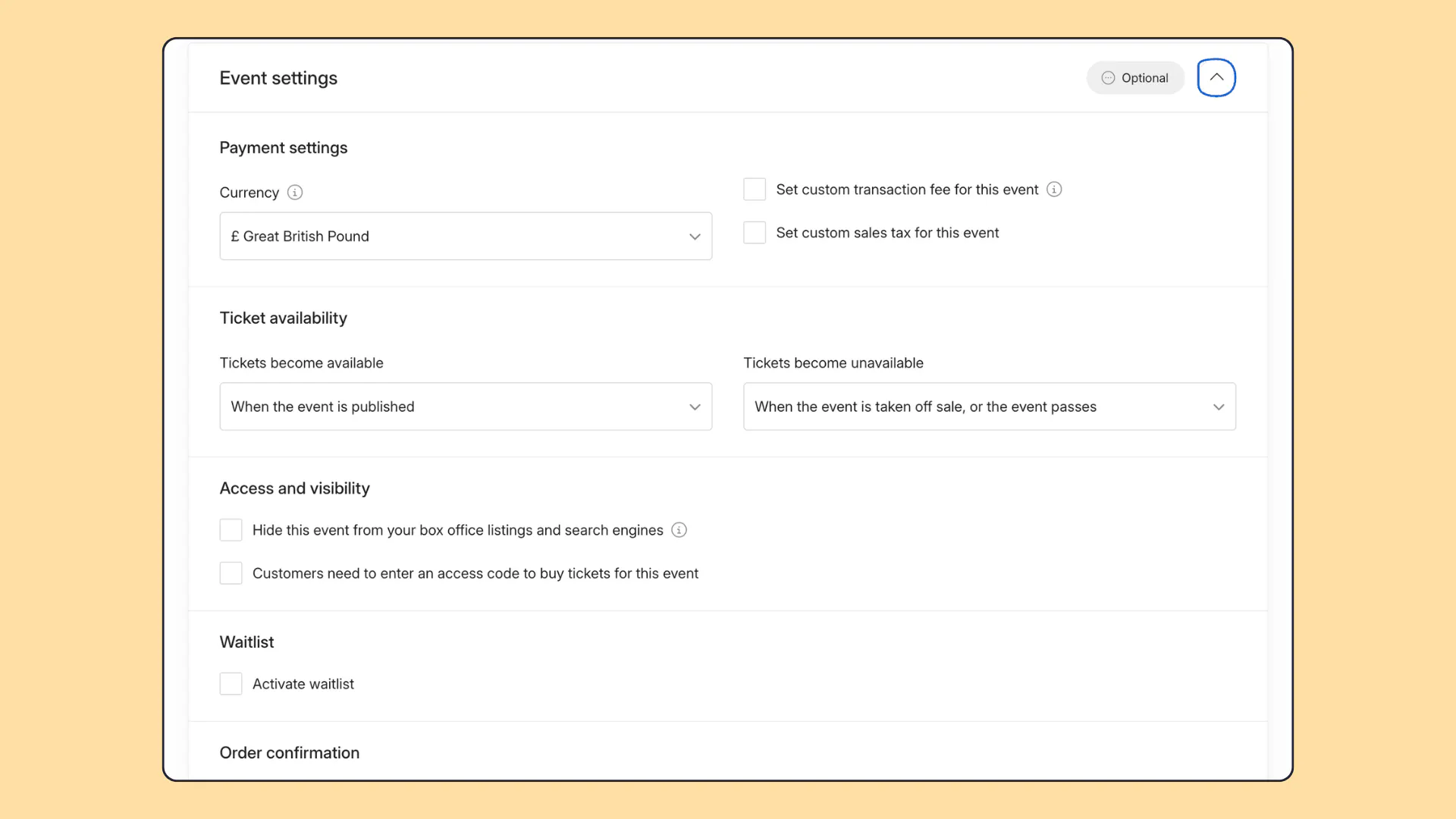
Event settings ⚙️
- There's no Advanced settings toggle any more. Everything in it is now split into clearly named sections: Ticket availability, Access and visibility, Waitlist, Order confirmation and Voucher codes.
- Custom transaction fee and custom sales tax now sit beside currency and payment methods.
- The external website link has moved into Access and visibility, with new wording.
- Show lowest ticket prices on calendar has moved to Event settings, and appears when your event has a paid ticket.
Other improvements ✨
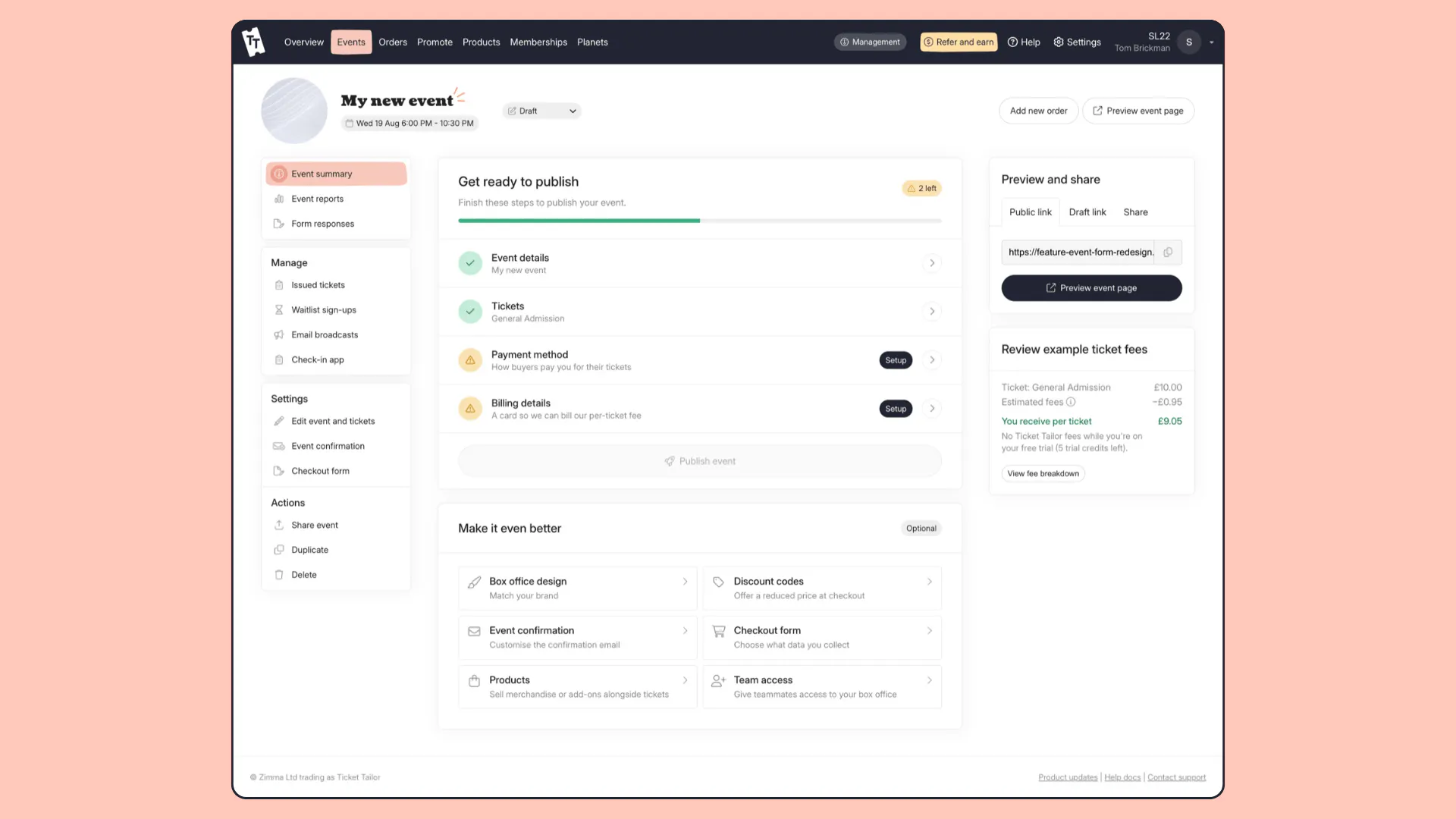
- Your event summary shows a new publishing checklist, to help you see what's left to do before you publish.
- There's a Check-in app link in the event side menu, to get you ready for event day with fewer clicks.
Whether you’re running your first-ever event or are planning your next big hit, create a Ticket Tailor event in minutes.
We’re sure the new design needs no explanation, but there’s a full tutorial in our help centre in case you need it.
(Top tip: If you have a setup you love, you can still duplicate an existing event as usual).
From fireworks to festivals, movie nights to marathons, whatever event you’re creating, you can plan it your way, in minutes, with Ticket Tailor.